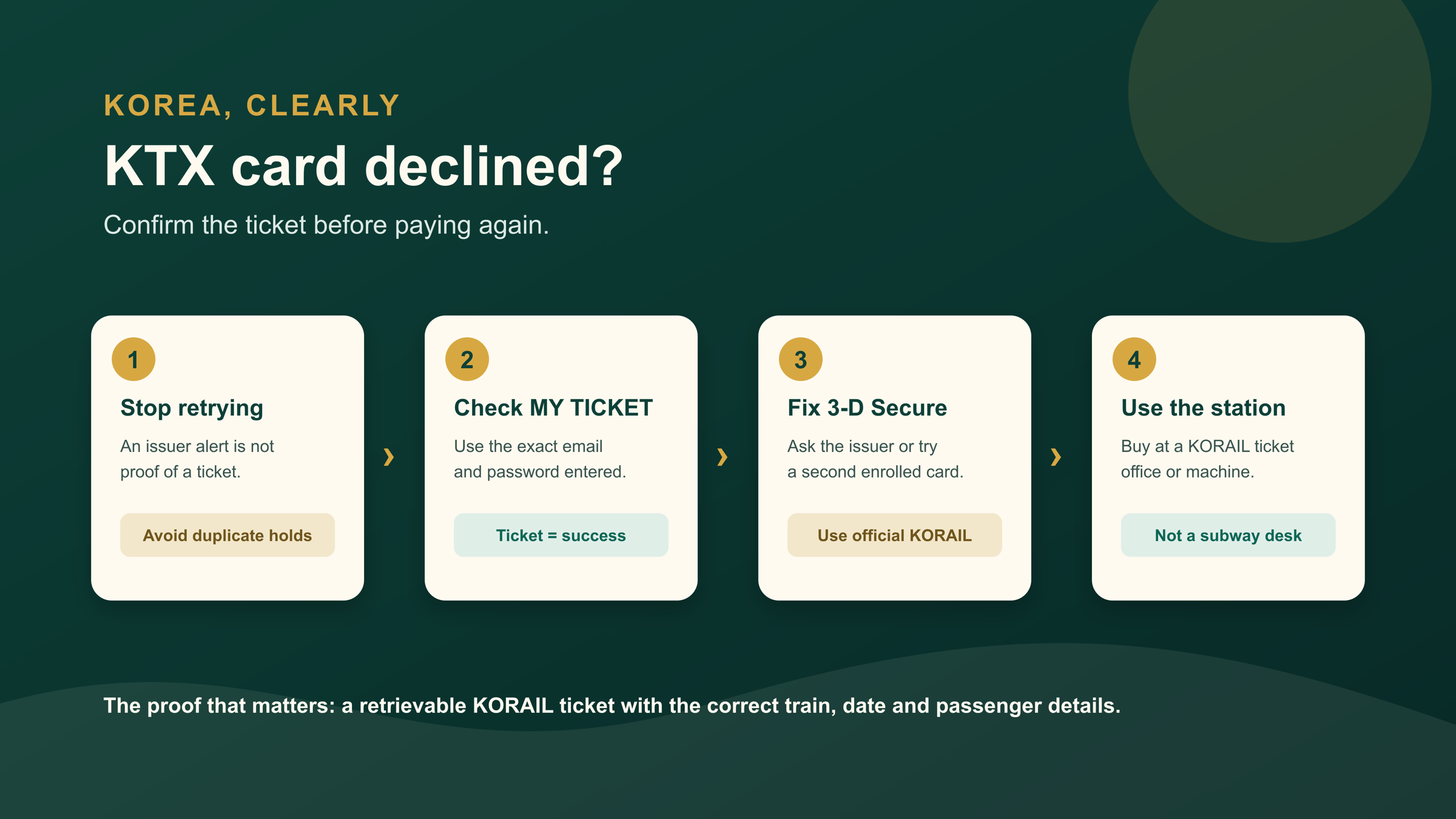
The short answer: KORAIL does not require a Korean card, but an overseas card must pass its issuer’s 3-D Secure check. If payment fails or a charge appears without a ticket, stop retrying and search KORAIL’s MY TICKET page with the exact email and password used. No retrievable ticket means you should resolve the card issue or buy at a KORAIL station ticket office or machine.
Official process checked September 4, 2026
KORAIL’s current notice says overseas cards used online must be enrolled in 3-D Secure. Its passenger guide lists the website, KORAIL Talk app, station vending machines and KORAIL train-station ticket offices as purchase channels.
Decide whether you have a ticket—not merely a charge
A bank notification can show an authorization, pending hold or completed charge. None of those is the document that lets you board. Your practical proof is a KORAIL ticket you can retrieve, showing the correct date, departure, destination, train and passenger details.
Open the official KORAIL MY TICKET page. Enter the same email and password used during checkout; spelling, capitalization and spaces matter. Also check the inbox and spam folder for the address entered. Do not create a new booking just because the bank app reacted first.
| What you can confirm | What it means | Next action |
|---|---|---|
| Ticket appears in MY TICKET | Booking exists | Check every journey detail; do not pay again |
| No ticket; issuer says declined | Authentication or approval failed | Contact issuer or use a second 3-D Secure card |
| No ticket; payment is pending | Outcome is unresolved | Keep evidence and ask KORAIL and the issuer before retrying |
| No ticket; departure is close | You still need a valid booking | Use a KORAIL station office or machine |
Recover the online booking in the right order
- Confirm the domain. Return to KORAIL’s official global site rather than following a payment link from an ad or message.
- Search before paying. Use MY TICKET with the exact original lookup details. Save the train result and any error message without recording full card data.
- Check the issuer’s 3-D Secure path. The approval may arrive in a banking app, SMS or another method chosen by the issuer. KORAIL says payment errors involving this step should be raised with the card company.
- Try one controlled fallback. If no ticket exists and the issuer confirms the attempt failed, use a different overseas card that is enrolled in 3-D Secure. Re-enter the passenger and route details instead of relying on browser autofill.
- Switch channels when time matters. KORAIL says website sales normally close 20 minutes before departure. Do not spend that final window repeating a failing checkout.
This article handles the failure path. For the complete search, seat, passenger-detail and ticket-use flow, use the general KTX booking guide for foreign visitors.
Use a station fallback without creating another mistake
Go to a KORAIL train station, not a Seoul Metro or other city-subway customer desk. Show the route, date, approximate time and number of passengers. If a vending machine is confusing or rejects the card, move to the staffed train ticket office while it is open.
Confirm the station names before paying. Seoul Station and Yongsan are different; Busan, Gupo and Bujeon are different; Gyeongju KTX Station is outside central Gyeongju. The KTX station-name guide covers the common traps. Keep enough time to reach the station printed on the ticket.
- Bring the physical card used or attempted online, plus a second card and passport.
- Show the unresolved attempt without exposing the full card number or verification code.
- Ask whether a ticket already exists before buying an equivalent journey at the counter.
- Read the issued ticket immediately. Correct the train, date or station before leaving the counter.
Handle a charge with no ticket
Keep a short evidence bundle: checkout time in Korea Standard Time, route, attempted amount, masked card ending, bank status, error message and the empty MY TICKET result. Then contact KORAIL’s English call center at +82-1599-7777 and your issuer. Ask whether the entry is a temporary authorization, a posted charge or a reversible failed transaction.
Do not publish card screenshots or send a full card number, CVC or banking password. If you must buy another ticket to travel, keep both records and ask each party about its own reversal or refund process. KORAIL’s guide says pre-departure refunds can be requested through MY TICKET; after departure, the station counter handles the request under the applicable conditions.
For wider payment resilience, carry two cards from different issuers and a modest won backup. The Korea cards, cash and ATM guide explains why “card accepted” never means every foreign card will work. After the train, local buses and subways use separate fare rules; see the transit transfer and tap-off guide.
Frequently asked questions
Do I need a Korean card to book KTX?
No. KORAIL supports overseas cards on its foreign-language booking site, but the card must pass its issuer’s online approval and 3-D Secure process.
Does a pending bank charge mean my KTX ticket exists?
No. Confirm the ticket in KORAIL MY TICKET with the exact original email and password. Treat the bank entry and the booking record as separate evidence.
Can a subway station sell a KTX ticket?
Do not rely on a city-subway desk. Use a KORAIL train-station ticket office or supported vending machine, and confirm the exact departure station before paying.
Official sources
- KORAIL: overseas card and 3-D Secure notice
- KORAIL: ticket purchase and refund guide
- KORAIL: MY TICKET
- KORAIL: ticket FAQ
Update history: first verified edition prepared September 4, 2026. Recheck KORAIL’s overseas-card notice and sales channels monthly. The live booking page and issuer decision take priority.