A Korean café kiosk has two finish lines: payment and pickup. First decide whether you will drink inside or take the order away, then choose a language, open the drink description, set every option and review the cart. After paying, keep the receipt and move away from the kiosk—the pickup number, not the payment screen, tells you when the drink is ready.
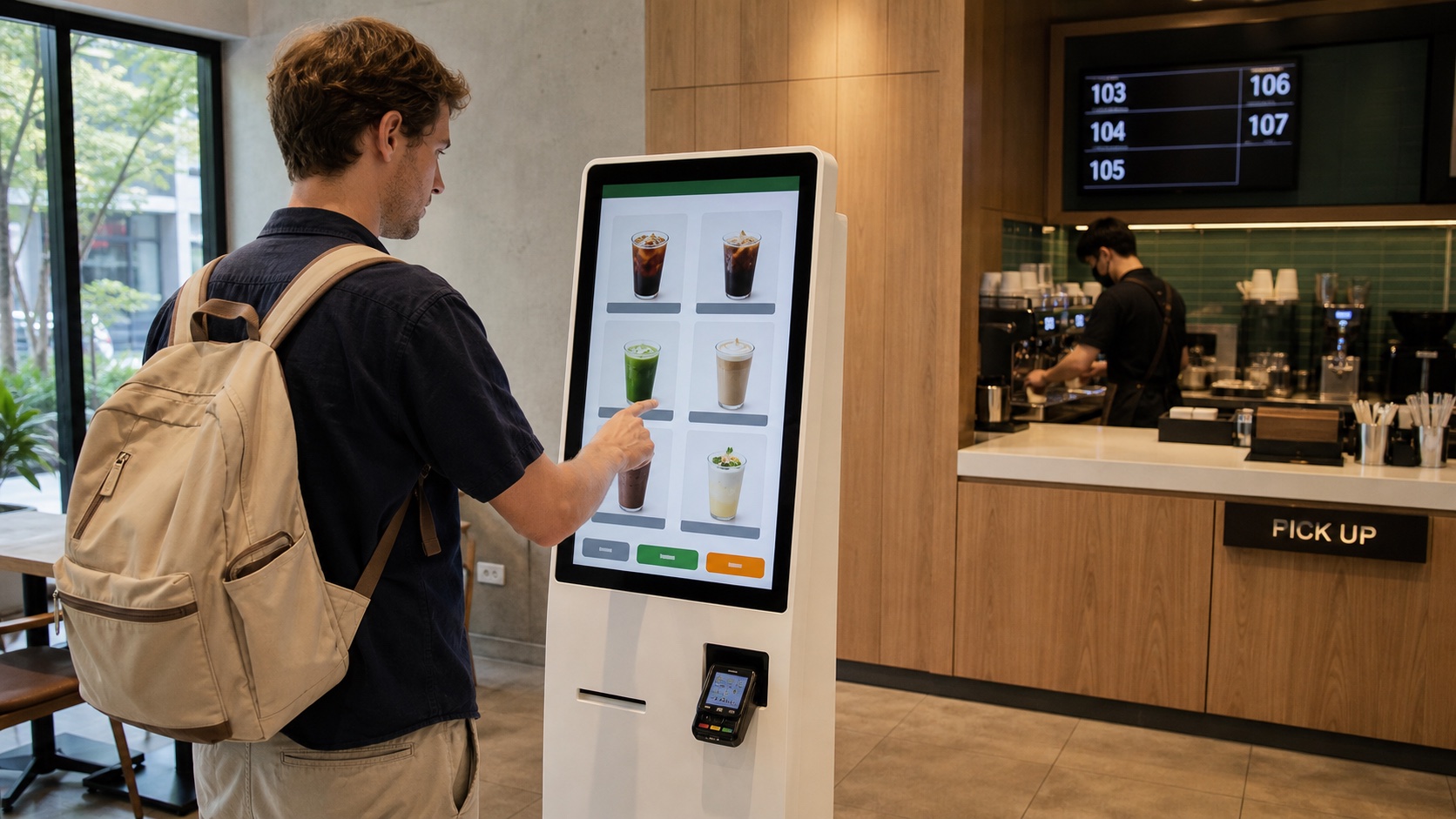
Know what the café kiosk controls
A café kiosk is a self-order touchscreen, usually standing near the entrance or counter. It handles the menu, options, cart and payment. It does not dispense your drink. After payment, the barista prepares the order and calls a number, displays it on a monitor or activates a pager.
Most kiosk cafés charge before making the drink. A small table-service café may instead take an order at the table and charge later, so follow the room: a freestanding machine with a card reader usually signals pay-first service, while a server and table bill can signal pay-later service. Posted instructions and staff always override the general pattern.
Use a Korean café kiosk step by step
1. Choose dine-in or takeaway, then the language
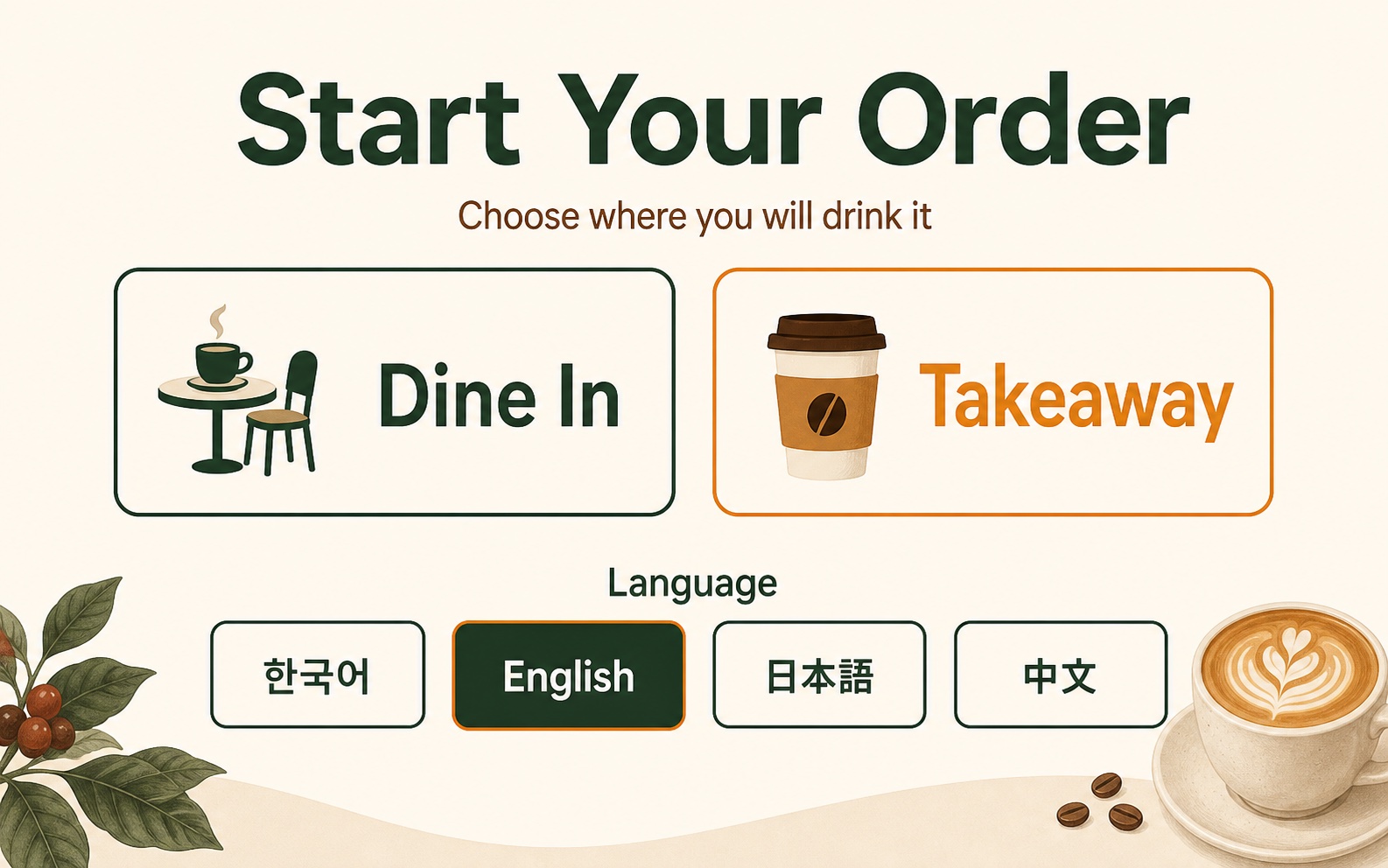
Select Dine In if you will use a table or Takeaway if you will leave with the drink. Korean screens may show 매장 (dine in) and 포장 (takeaway). The language screen can appear before or after this choice. Look for English, a globe icon or 언어.
2. Open the drink and read what it is
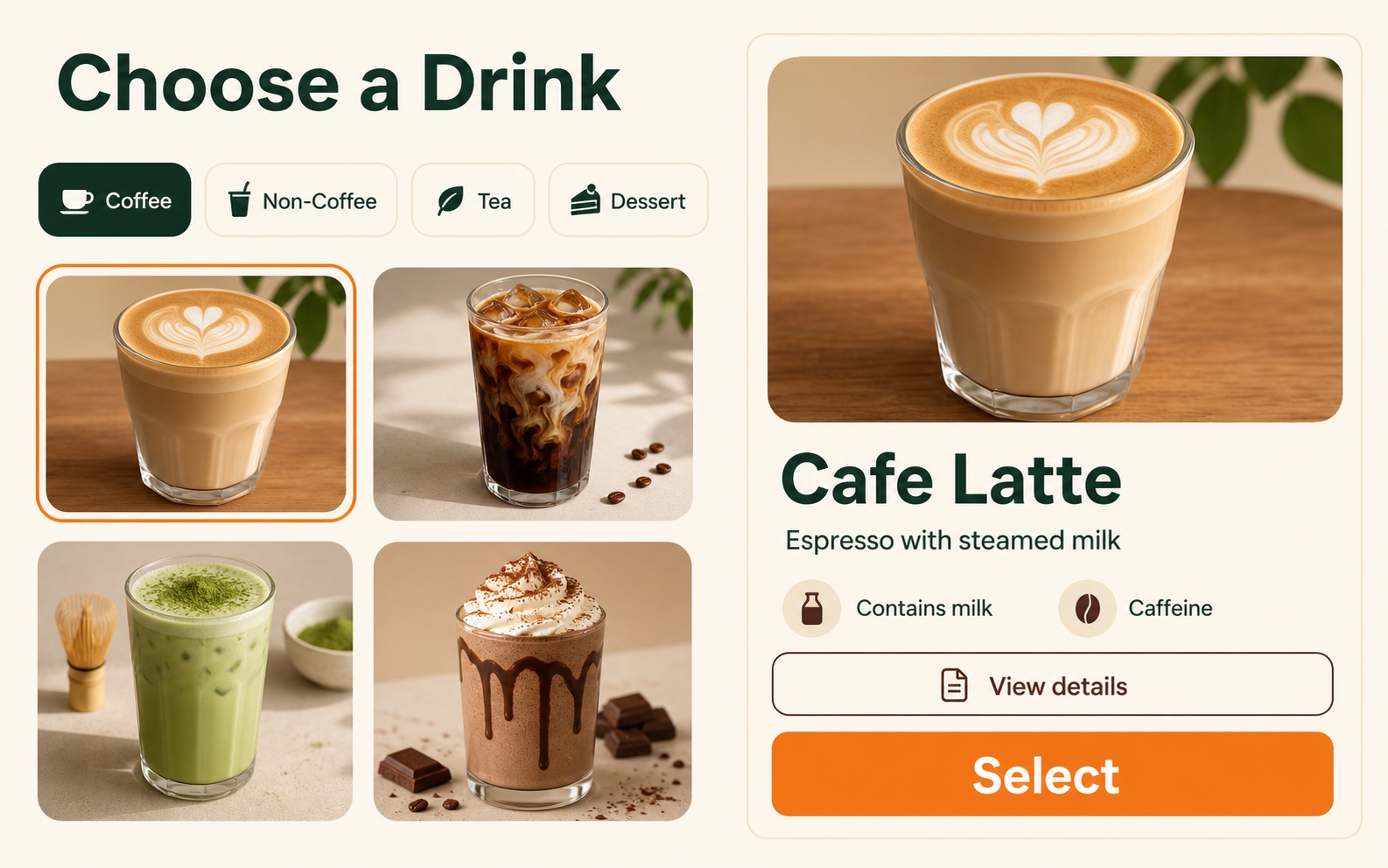
Use category tabs such as Coffee, Non-Coffee, Tea and Dessert. Tap the menu item—not only the final select button—to open its detail page. Many kiosks explain the drink, show a larger photo and identify basics such as espresso, milk or caffeine. That description is the best place to distinguish a latte from an Americano or a fruit ade from tea.
A short description may not list every syrup, powder or cross-contact risk. If you have a serious allergy, confirm directly with staff. “Non-Coffee” also does not always mean caffeine-free; tea, chocolate and other ingredients can contain caffeine.
3. Set temperature, size, milk and extras
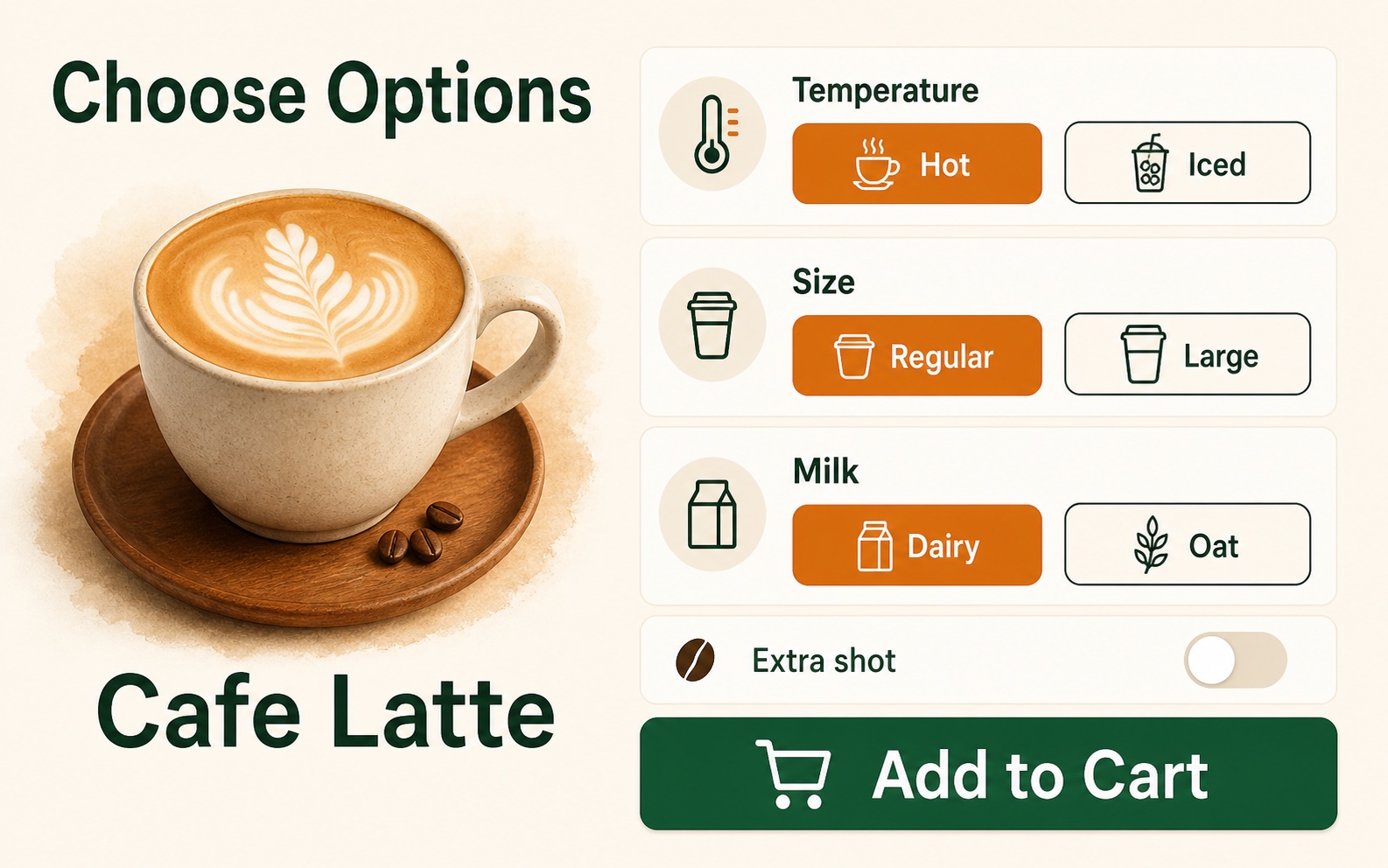
Complete each required option: hot or iced, size, milk, sweetness, syrup, whipped cream or an extra shot. Only choices shown on that screen are available for that product. A different milk or syrup may cost extra. Check the highlighted selection before tapping Add to Cart; the machine may preserve a default that you did not intend.
4. Treat the cart as your final error check
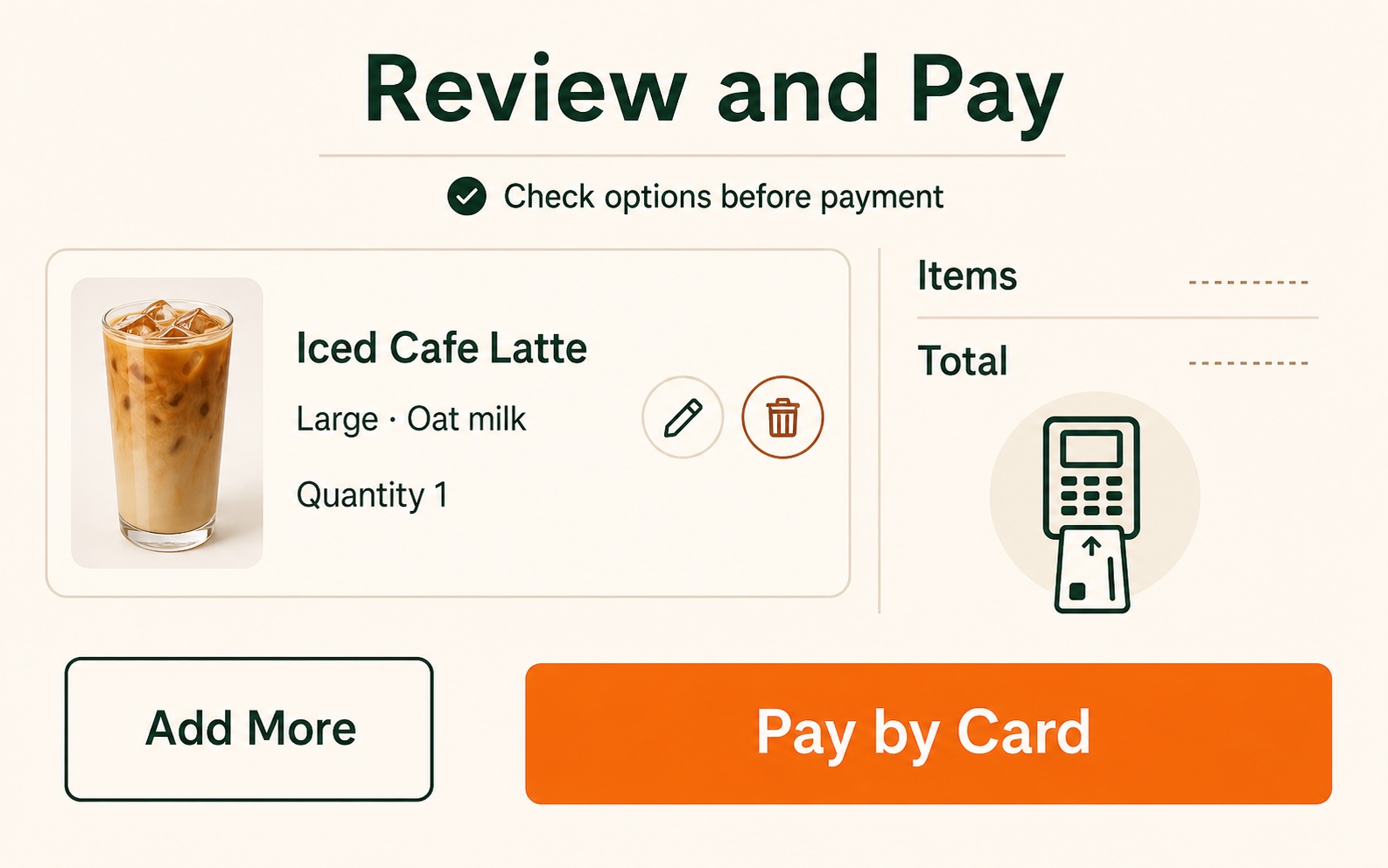
The cart is the temporary list of drinks and desserts. Adding an item does not finish the order. Check the drink name, hot or iced selection, size, milk, extras and quantity. Use Edit for an option error, Remove for a duplicate or Add More for another person. Confirm only when the total and every line match your group.
When the card reader activates, insert or tap the card as shown and wait for approval. Do not pull an inserted card out early. If the screen offers a receipt, take it; the order number may be printed there even when the kiosk also shows it briefly.
5. Keep the number and move to the pickup area
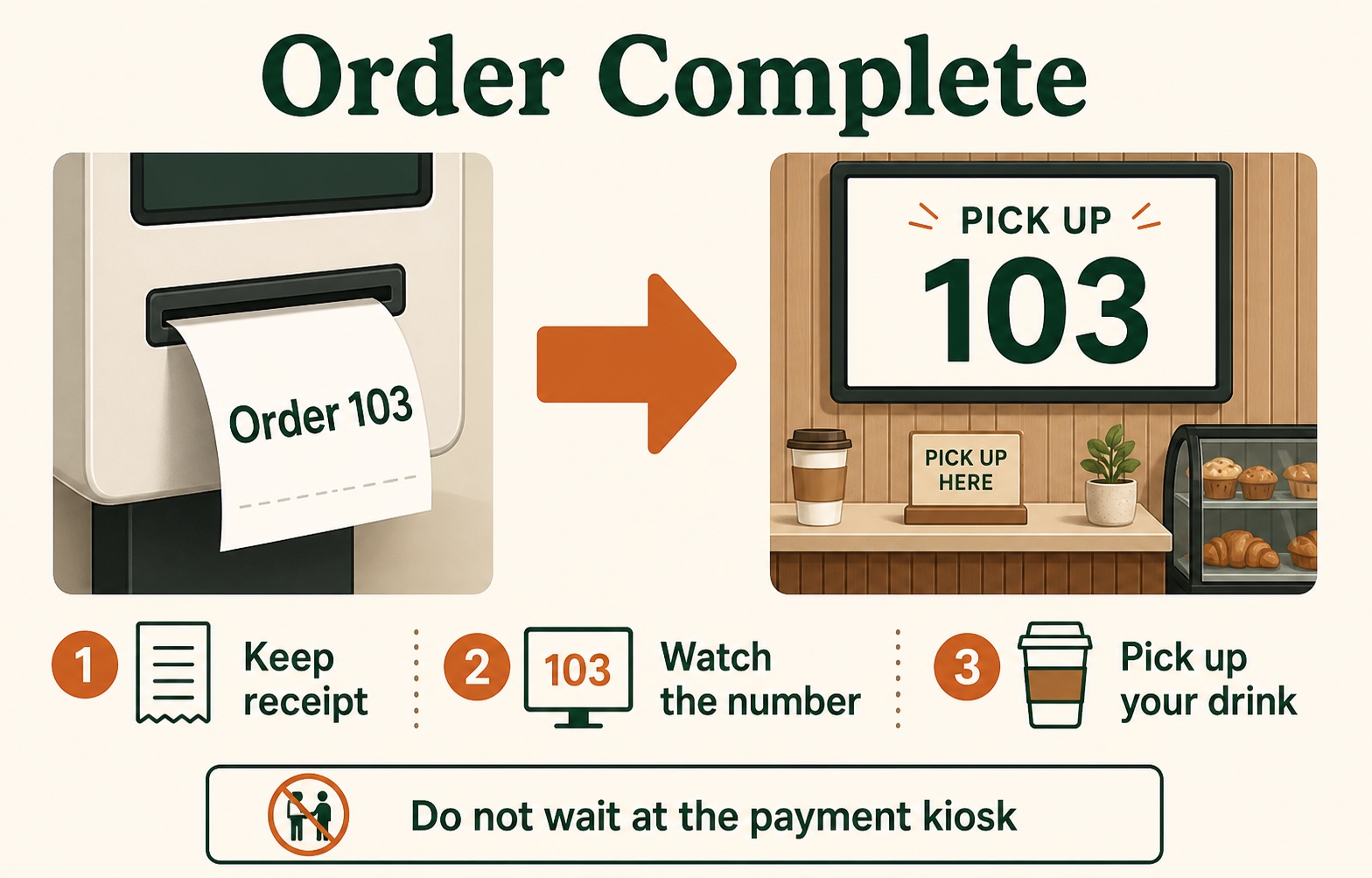
Payment is complete, but the drink is not ready. Keep the receipt or pager, then stand where you can see the pickup display without blocking the kiosk queue or counter. Collect the order when your number appears, is called or the pager vibrates. Compare the number and number of items before leaving.
Fix language, option or payment problems
- No English button: use phone-camera translation one screen at a time, or show staff the drink photo.
- You cannot continue: scroll for a required option or look for a highlighted warning beside size, temperature or quantity.
- You chose the wrong option before payment: return to the cart and use Edit or Remove.
- You notice an error after payment: take the receipt to staff immediately. A change or refund depends on whether preparation has started.
- Your international card fails: cancel, try another card or ask for the staffed terminal. Avoid repeated attempts while a charge is pending.
- No receipt appears: photograph the completion screen or remember the order number, then confirm with staff.
The Korea card and cash guide covers payment backups. For seating, one-drink rules, laptops and tray returns, use the separate Korea café etiquette guide.
Collect the drink, return the tray and do not tip
Check whether the pickup counter has straws, sleeves, napkins or a self-service water station. Take only what you need. If you selected dine-in, use the cup type the café provides rather than asking for takeaway packaging solely for convenience. When finished, return cups and trays only when a station marked 반납 or 퇴식구 is provided.
Korea does not normally require café tips. Pay the displayed kiosk total. A screen that asks about points, membership or a receipt is not a tip request. Do not leave cash beside the pickup tray. Read the Korea tipping guide if a hotel lounge, tour or booking platform shows a separate service charge.
For a full meal rather than a drink, continue to the Korean restaurant kiosk guide, which compares pay-now and pay-later systems.
Frequently asked questions
What do 매장 and 포장 mean?
매장 means you will consume the order at the café; 포장 means takeaway. Choose before browsing when the kiosk asks.
Does the menu explain each drink?
Many kiosks open a page with a photo and short description when you tap a drink. Use it to compare ingredients and caffeine, but confirm serious allergies with staff because the summary may be incomplete.
Do I wait beside the kiosk after paying?
No. Keep the receipt or number and move toward the designated pickup area so the next customer can order. Watch the display, listen for the number or keep the pager with you.
Official and supporting sources
- Seoul Metropolitan Government: using a café or restaurant kiosk as a practical digital skill
- VISITKOREA: self-service restaurant systems and no-tip guidance
- Visit Seoul: money and tipping in Korea
Last verified September 3, 2026. Interface images are original illustrative examples; button names, drink options, ingredient details, payment support and pickup systems vary by café.