The kiosk is often easier than the menu—once you know what counts as an order. Choose a language, tap a dish to read its description, set options and quantity, then place it in the cart. Nothing is sent to the kitchen until you confirm. The one question to settle first is whether this restaurant charges now or after you eat.
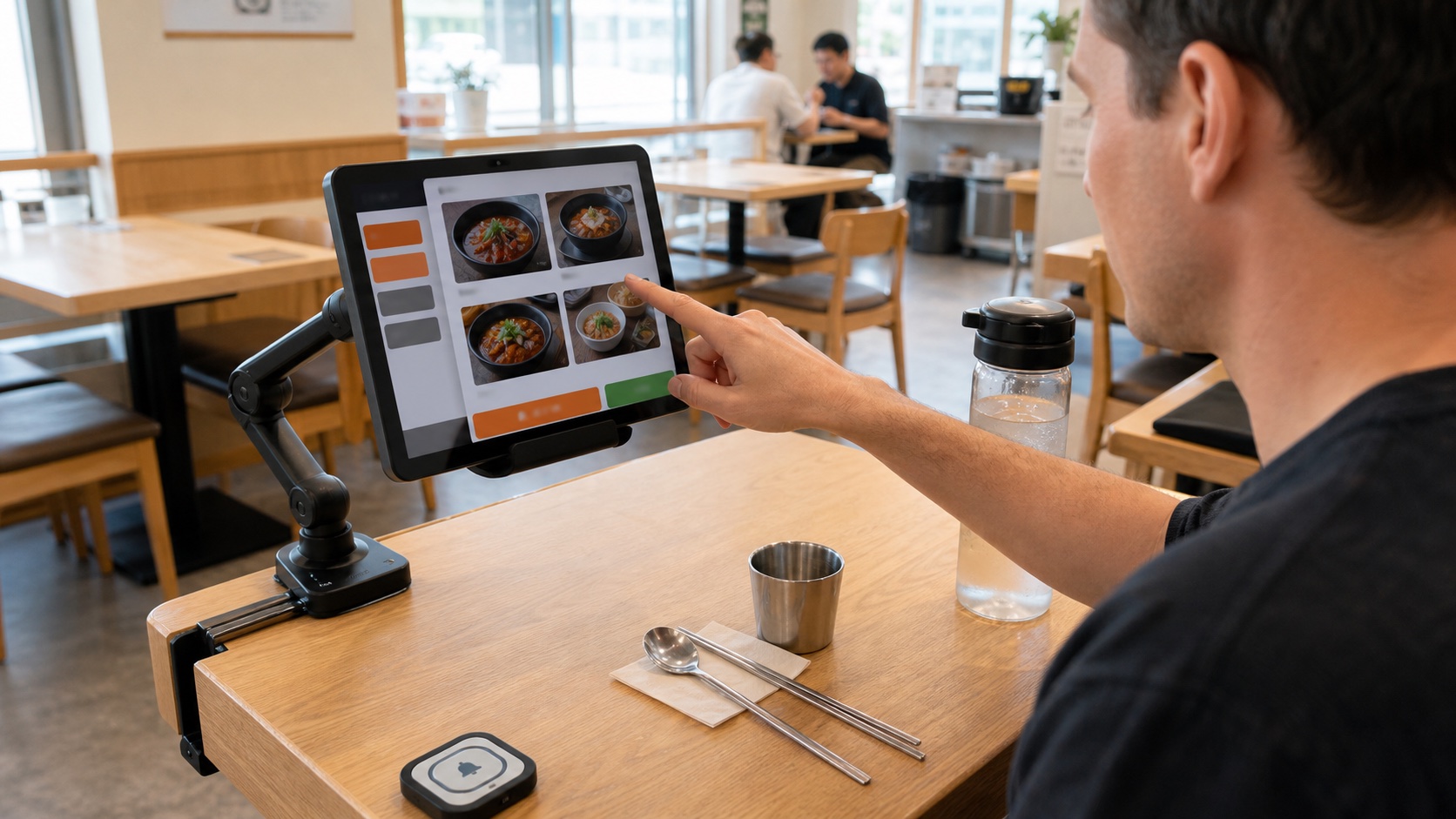
Identify the kiosk and payment flow
A restaurant kiosk is a touchscreen that replaces or supplements a spoken order. It may stand near the entrance, sit on the counter or be fixed to your table. A table tablet can remain available throughout the meal, so you may order another drink or side dish without calling a server.
Before browsing, look for the payment pattern:
| What the screen does | What it means | Your final step |
|---|---|---|
| Shows a card-payment screen before confirmation | Pay first | Pay at the kiosk and keep the receipt or order number |
| Accepts the order without requesting payment | Pay later | Eat, then take the bill or table number to the counter |
| Shows “Pay at table” after the meal | Table payment | Review all rounds, pay once and wait for completion |
These are common patterns, not a national rule. Follow the screen in that restaurant. If it is unclear, point to the terminal and ask “여기서 계산해요?” (Yeogiseo gyesanhaeyo? — Do I pay here?).
Order on a Korean restaurant kiosk step by step
1. Choose English if it is available
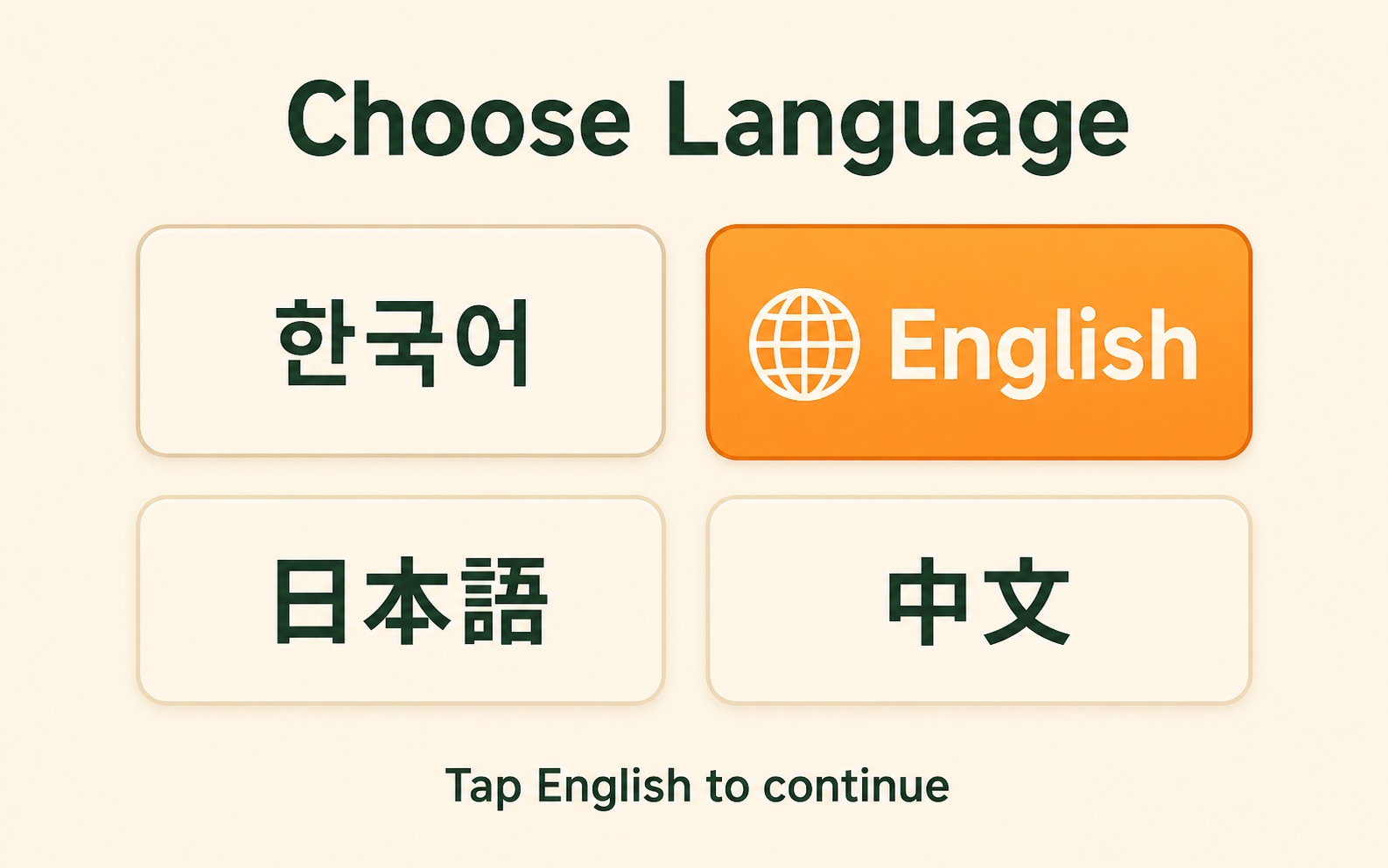
Look for English, a globe icon or 언어 (language). The button may appear on the first screen or in a top corner. Not every kiosk offers English. When it does not, use your phone camera to translate one screen at a time or ask staff to help; do not guess on an allergy or a required option.
2. Open a category, then tap the food
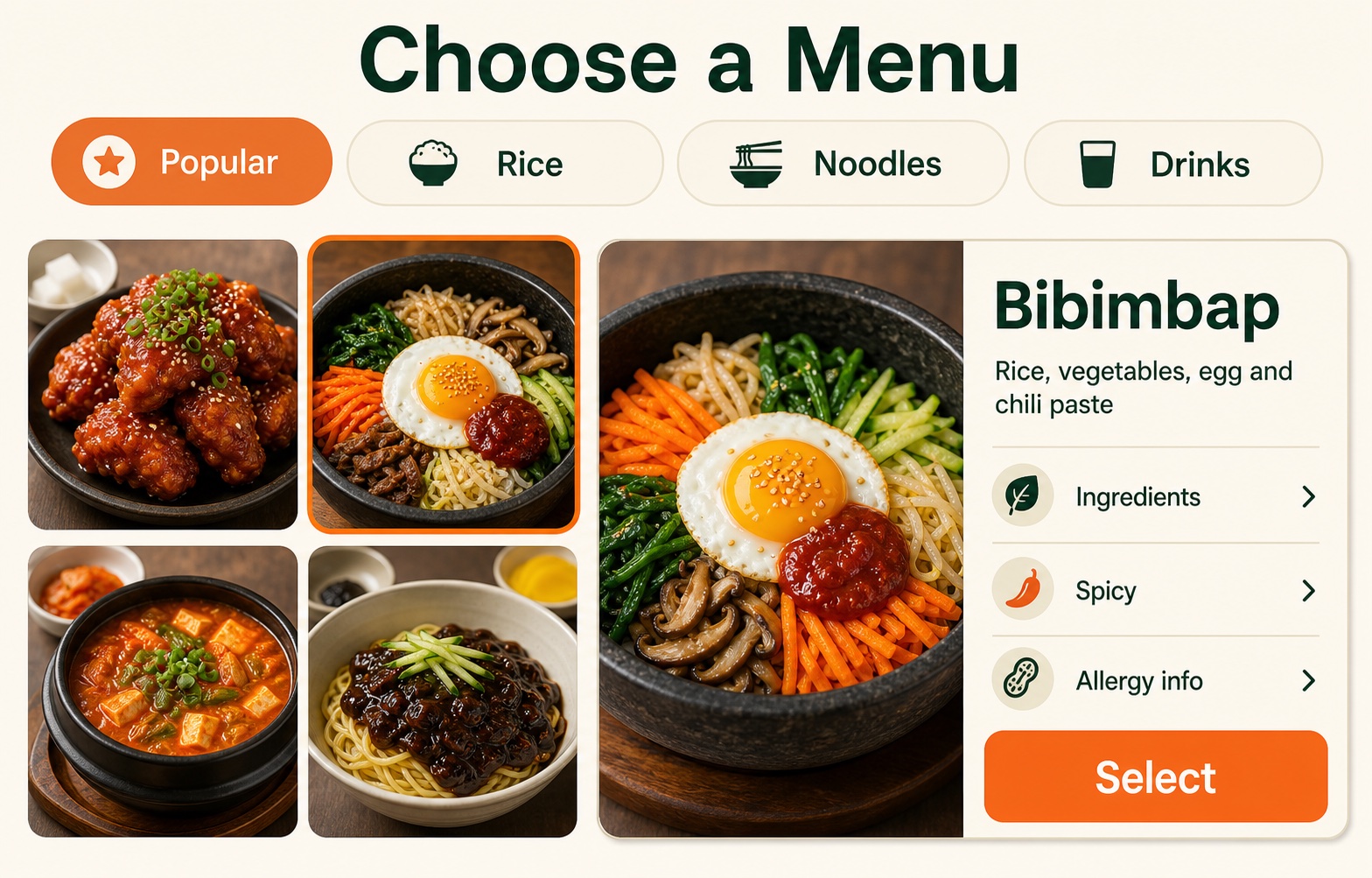
Choose a category such as Popular, Rice, Noodles or Drinks. Tap the item photo or name before selecting it. Many screens open a detail page with a larger photo, a short description, ingredients, spice information or allergens. Use that page to understand what the dish is instead of judging only by its thumbnail.
3. Set every required option and quantity
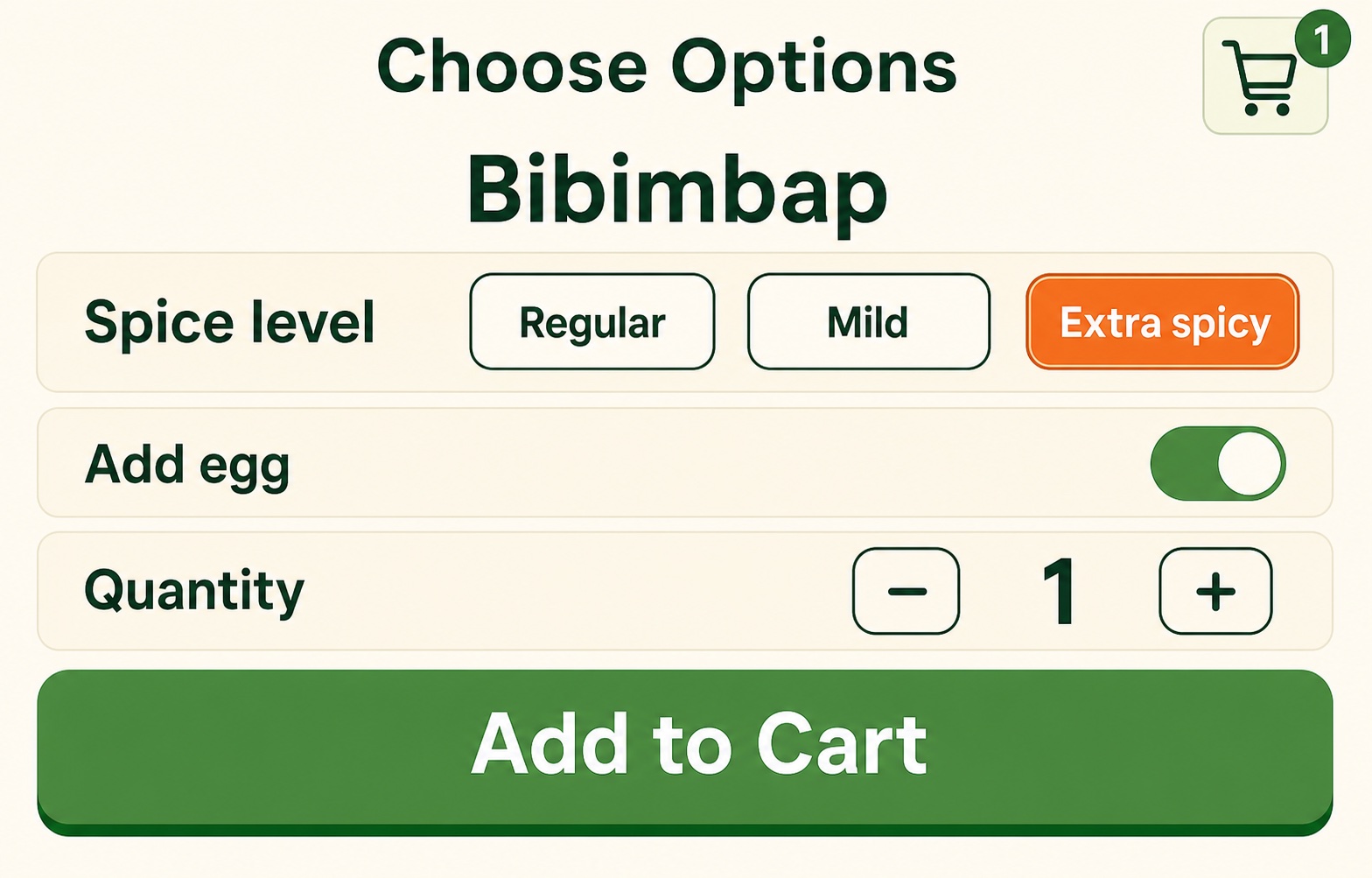
Select the spice level, size, side, cooking option or add-on requested by the screen. A filled color or check mark usually shows the active choice. Check the quantity beside the plus and minus buttons. Barbecue, hot-pot and set-menu restaurants may require two portions or a per-person minimum; the kiosk may block checkout until the requirement is met.
4. Add the item to the cart and review it
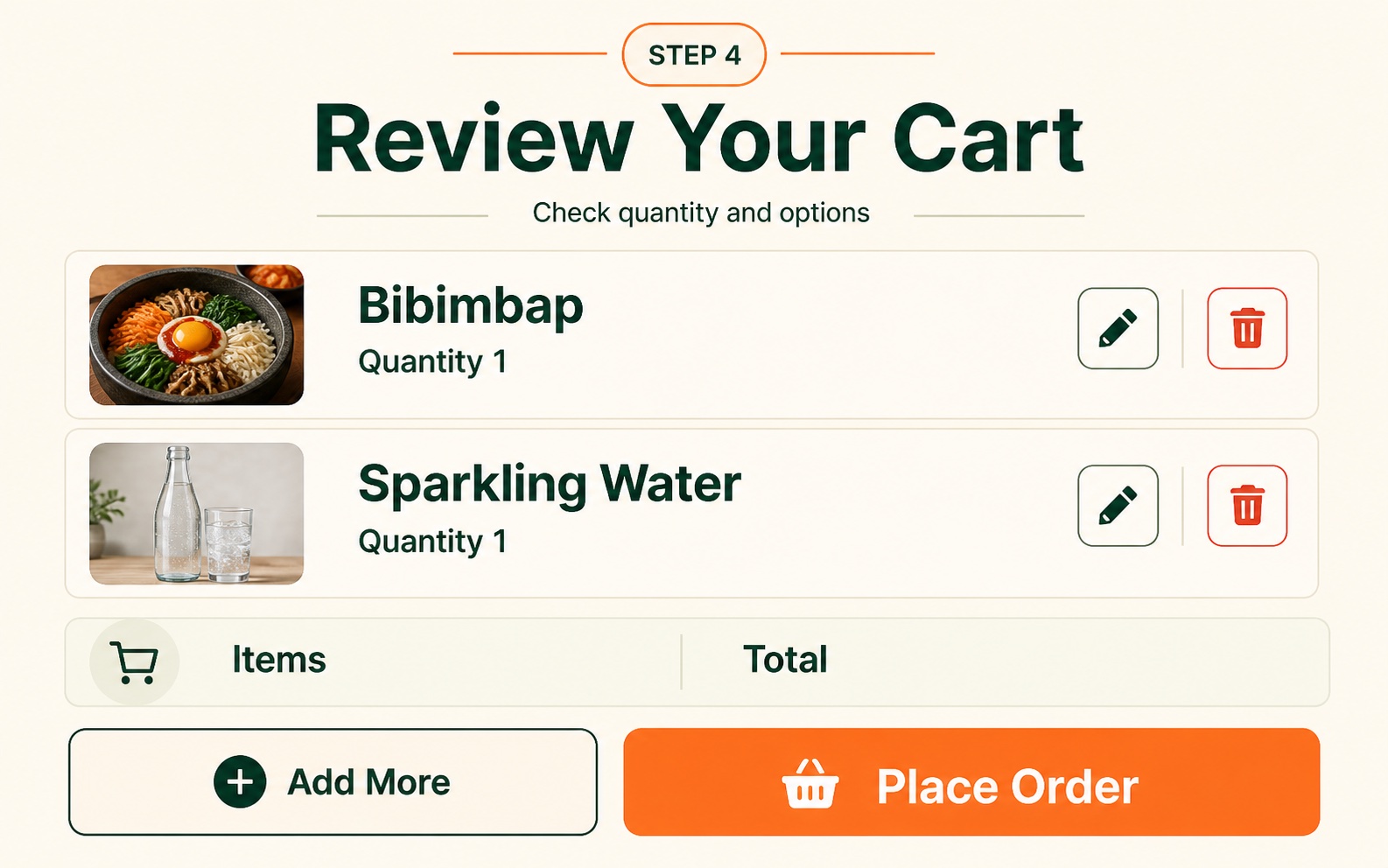
The cart is only a temporary list. “Add to Cart” does not send food to the kitchen. Open the cart icon, compare each item and option, remove duplicates and confirm the total quantity. Choose Add More to keep browsing or Place Order to move to the final confirmation.
5. Follow the pay-now or pay-later branch
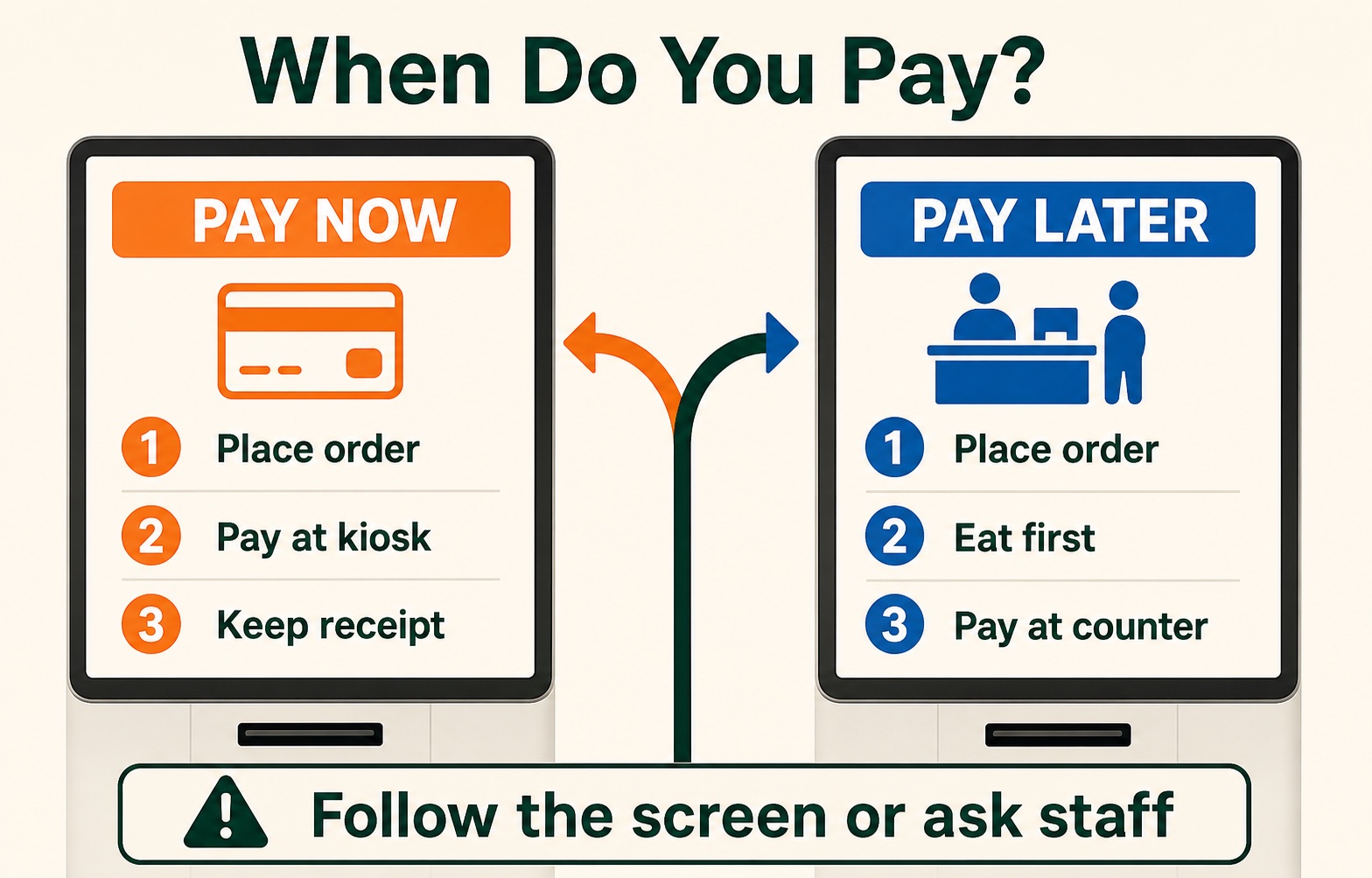
For pay-first service, insert or tap your card only when the payment terminal asks, wait for an approved message and take the receipt. For pay-later service, wait for an accepted-order screen, then check the Ordered Items or Order History page. At the end, pay at the counter or through the table tablet as directed.
Use menu descriptions—but verify allergies
An English detail page can explain the dish, ingredients, spice level and add-ons. It is useful for comparing unfamiliar foods. It is not a complete allergy guarantee: broth, sauces, garnish and kitchen cross-contact may be absent from a short description. For a serious allergy, show staff the ingredient in Korean and ask before confirming. Our published Korea etiquette guide for tourists adds the everyday rules worth knowing before you eat out.
Watch for these Korean labels when English is unavailable: 메뉴 (menu), 선택 (select), 수량 (quantity), 장바구니 (cart), 주문하기 (place order), 결제 (payment), 취소 (cancel) and 주문내역 (order history).
Confirm the order, pay correctly and do not tip
Do not walk away after a card alert alone. Confirm that the kiosk shows an approved payment or accepted order, then save the receipt, order number or table record. If a table tablet remains open, use Order History before submitting another round so you do not buy the same item twice.
If an international card fails, cancel the attempt cleanly and avoid repeated pending charges. Try a second card or ask to use the staffed terminal; the Korea card and cash guide explains practical backups. If the machine freezes, show staff the last screen and ask “주문됐어요?” (Jumun dwaesseoyo? — Did the order go through?).
No tip is required. At ordinary Korean restaurants, pay the amount shown on the kiosk or bill. Do not add a percentage or leave cash on the table. If a venue has an explicit service charge, it should already be disclosed; see the Korea tipping guide for the limited situations that differ.
Using a café machine next? The Korean café kiosk guide covers dine-in versus takeaway, drink options, payment and pickup numbers.
Frequently asked questions
Does adding food to the cart place the order?
No. The cart holds your selections while you check options and quantities. Food is normally sent only after you press Place Order or an equivalent confirmation button.
Do all restaurant kiosks have English?
No. Look for English, a globe icon or 언어. If none appears, translate the screen with your phone or ask staff rather than guessing about a required option.
Should I pay before or after eating?
Both systems exist. A kiosk that opens card payment before confirming the order is pay-first. If it accepts the order without payment, check whether the bill is paid at the counter or on the table tablet after the meal.
Official and supporting sources
- VISITKOREA: Korean restaurant self-service systems and no-tip guidance
- Seoul Metropolitan Government: kiosk ordering as a practical digital skill
- Visit Seoul: money and tipping in Korea
Last verified September 3, 2026. Interface images are original illustrative examples; button names, order steps, ingredient details and payment timing vary by restaurant.